
Product tour
Everything your team needs to manage customer relationships.
bizzMate is one product, not a stack of modules. Here is every part of it, with a real screenshot of each — so you can decide whether it fits before you sign up for anything.
No credit card required · Set up in minutes · AUD pricing
What you get
- The full product on every plan
- 15-day free trial
- No credit card required
- Your data exportable at any time
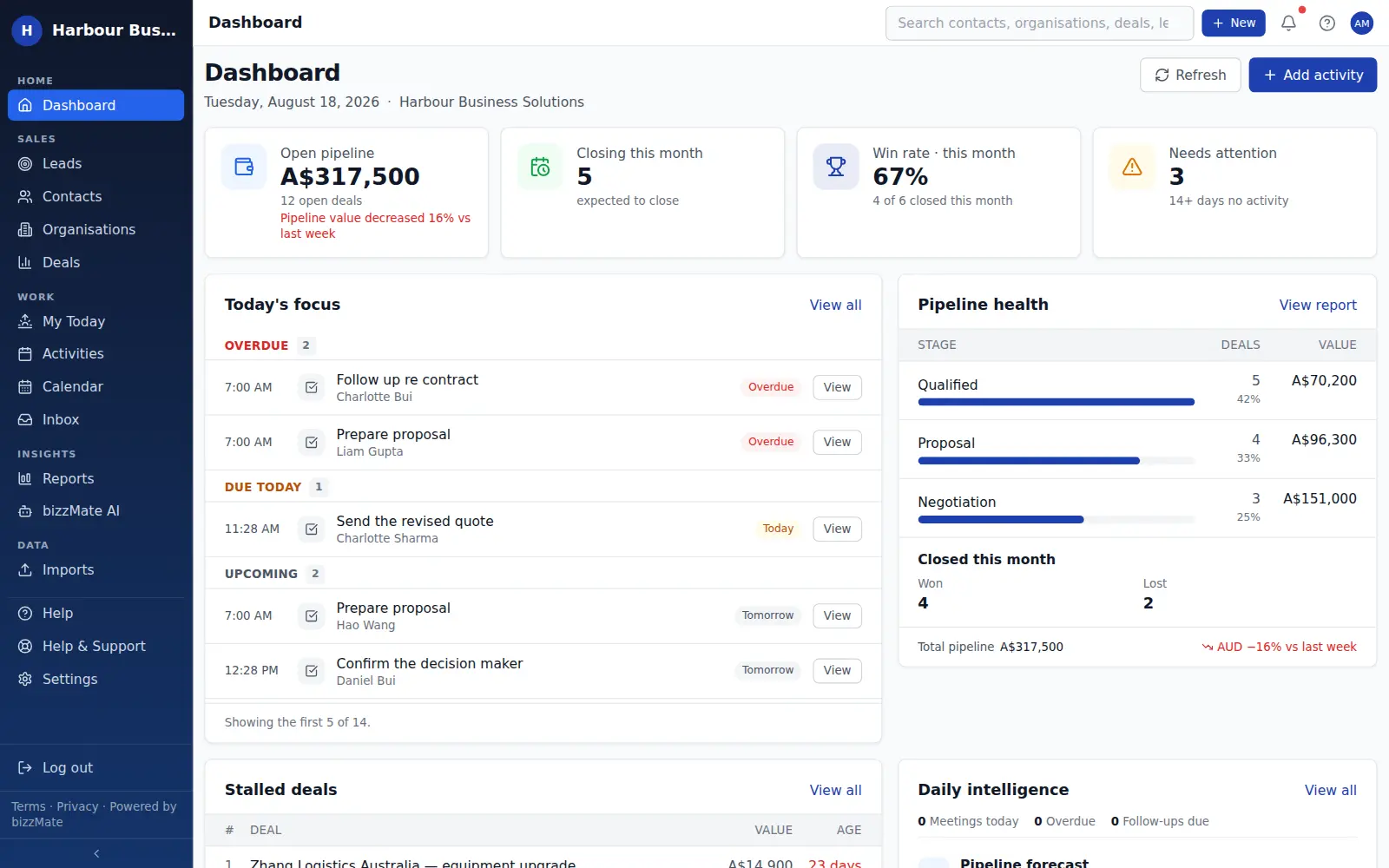
Dashboard
Know where the business stands before your first coffee.
Open pipeline and how it has moved, the value expected to close this month, your win rate and the deals that have gone quiet — beside the handful of follow-ups that need you today.
- Four headline figures, all derived from your own records
- Today's focus: overdue and upcoming activities, capped at a readable few
- Pipeline health by stage and a stalled-deals list
- Scoped to your role — members see their work, admins see the workspace
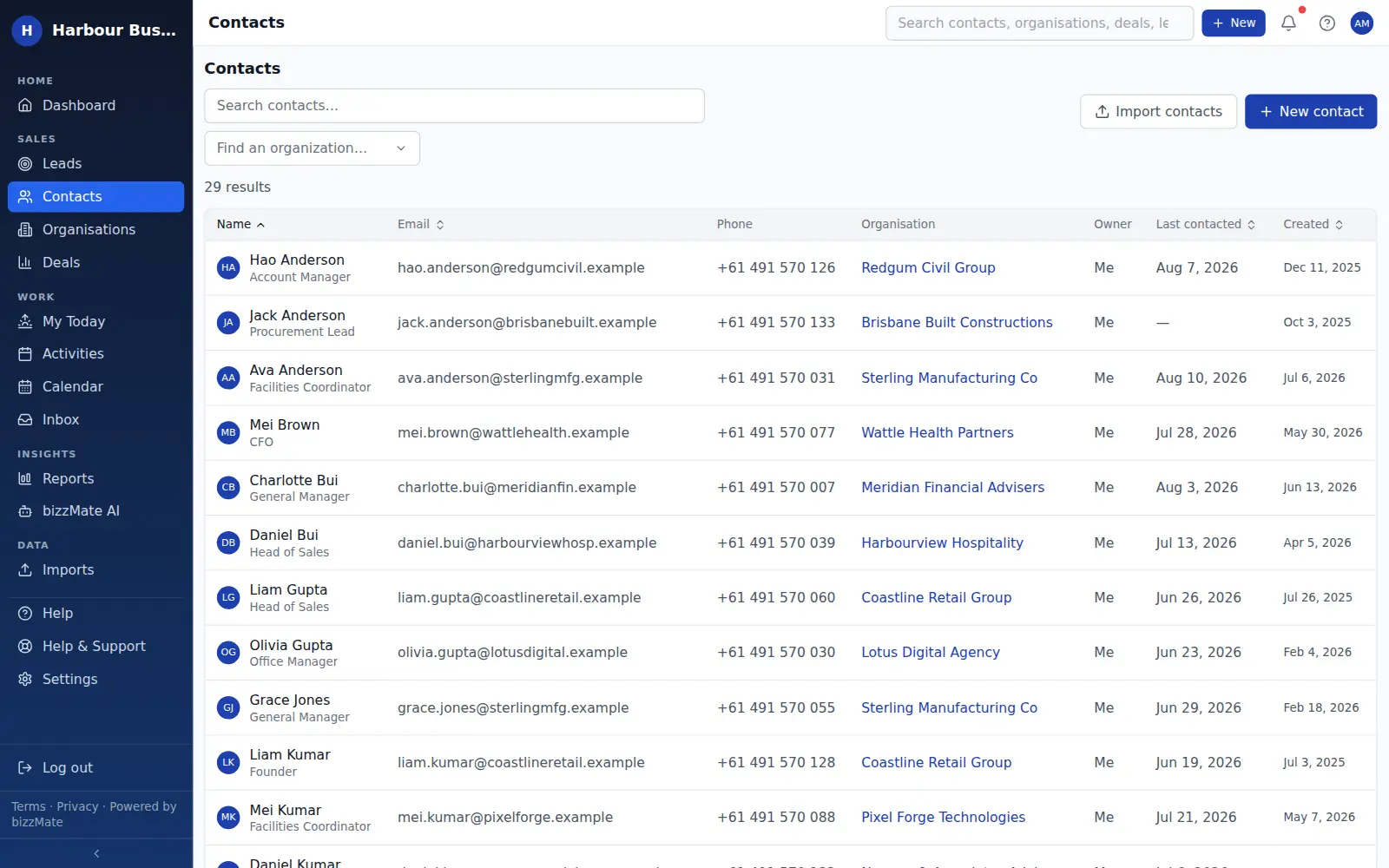
Contacts
Every person you deal with, organised.
Contacts carry the role, the details, the owner, when you last spoke and what is scheduled next — plus the organisation behind them and the deals in play.
- Linked to the organisation the person works for
- Last contacted derived from logged calls and meetings
- Duplicate checking before you create a second record
- Lead source and tags you can filter the list by
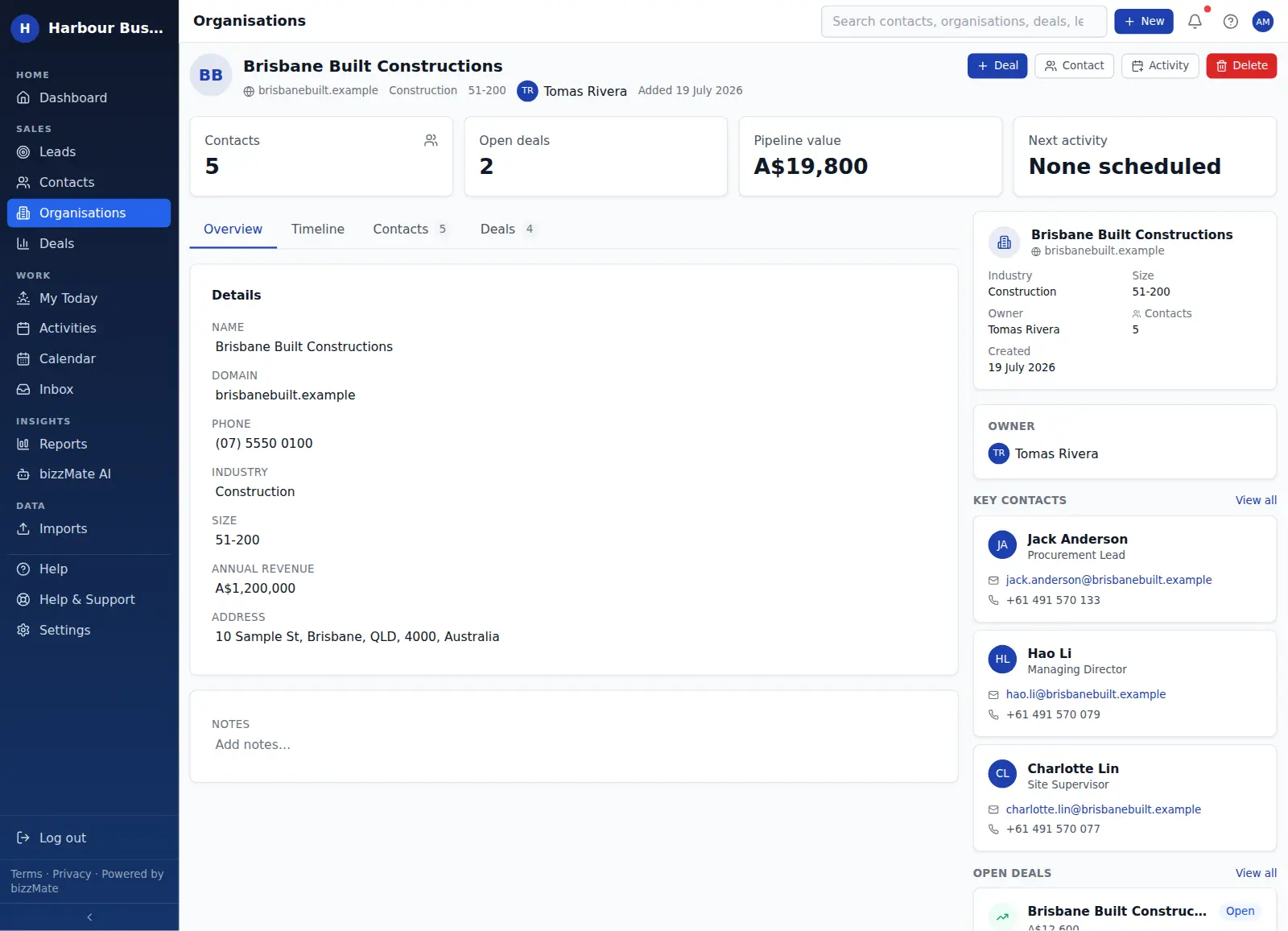
Organisations
Companies as real records, not a text field.
An organisation holds its industry, size and domain, everyone who works there, every deal against the account, and the activity logged across the whole relationship.
- Every contact at the company, in one panel
- Open and closed deals against the account
- An account-level timeline that survives a contact leaving
- Duplicate detection on name and domain
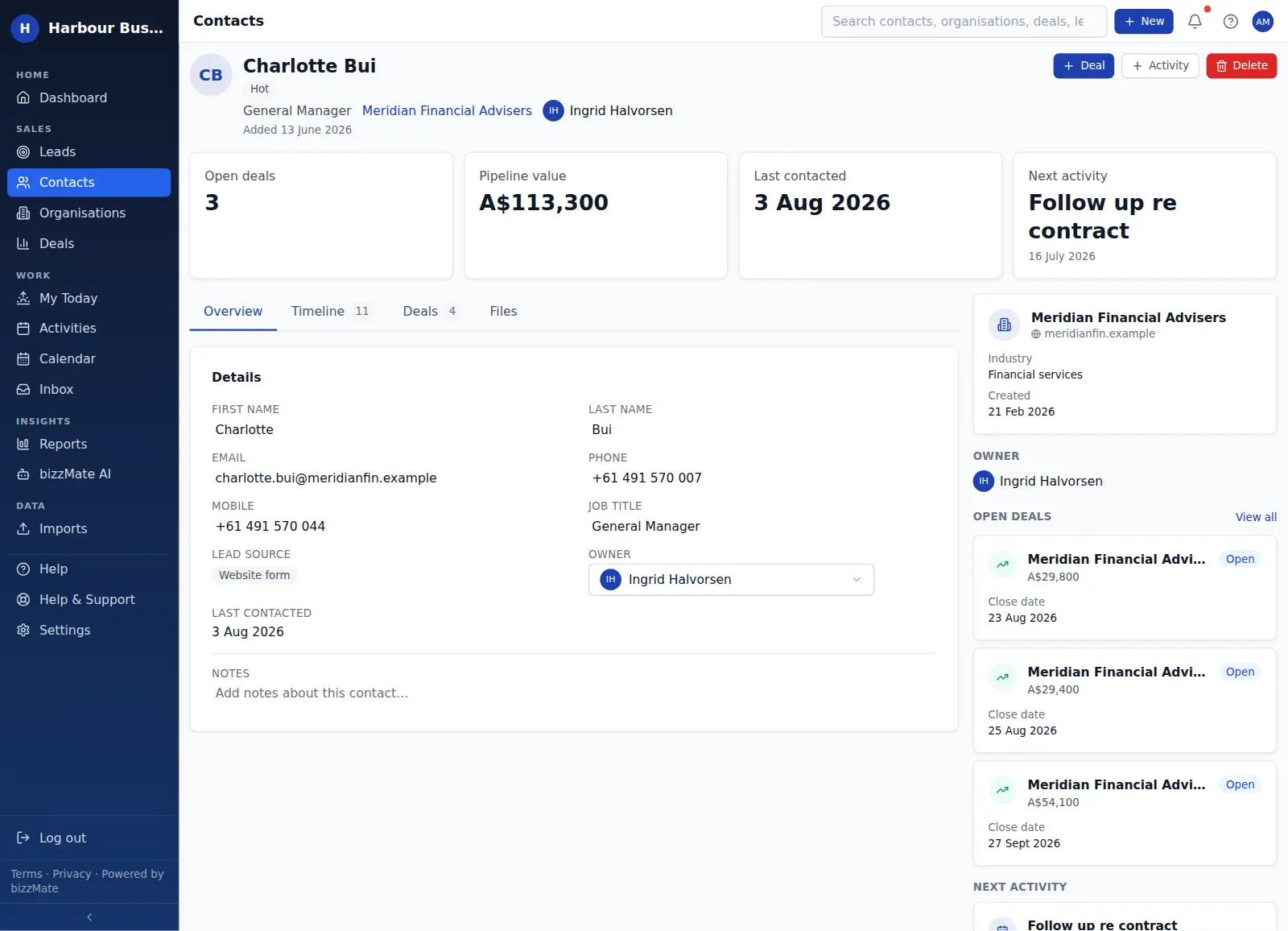
Customer workspace
One screen per record, in the same shape every time.
Contacts, organisations and deals all open as a workspace: summary figures on top, tabs for the detail, timeline, related deals and files, and a context rail beside them.
- Inline editing — no separate edit screen
- Files attached to the record they belong to
- Create a deal or log an activity without leaving the page
- Learn the layout once, use it everywhere
Deals
Opportunities with structure, not notes in a spreadsheet.
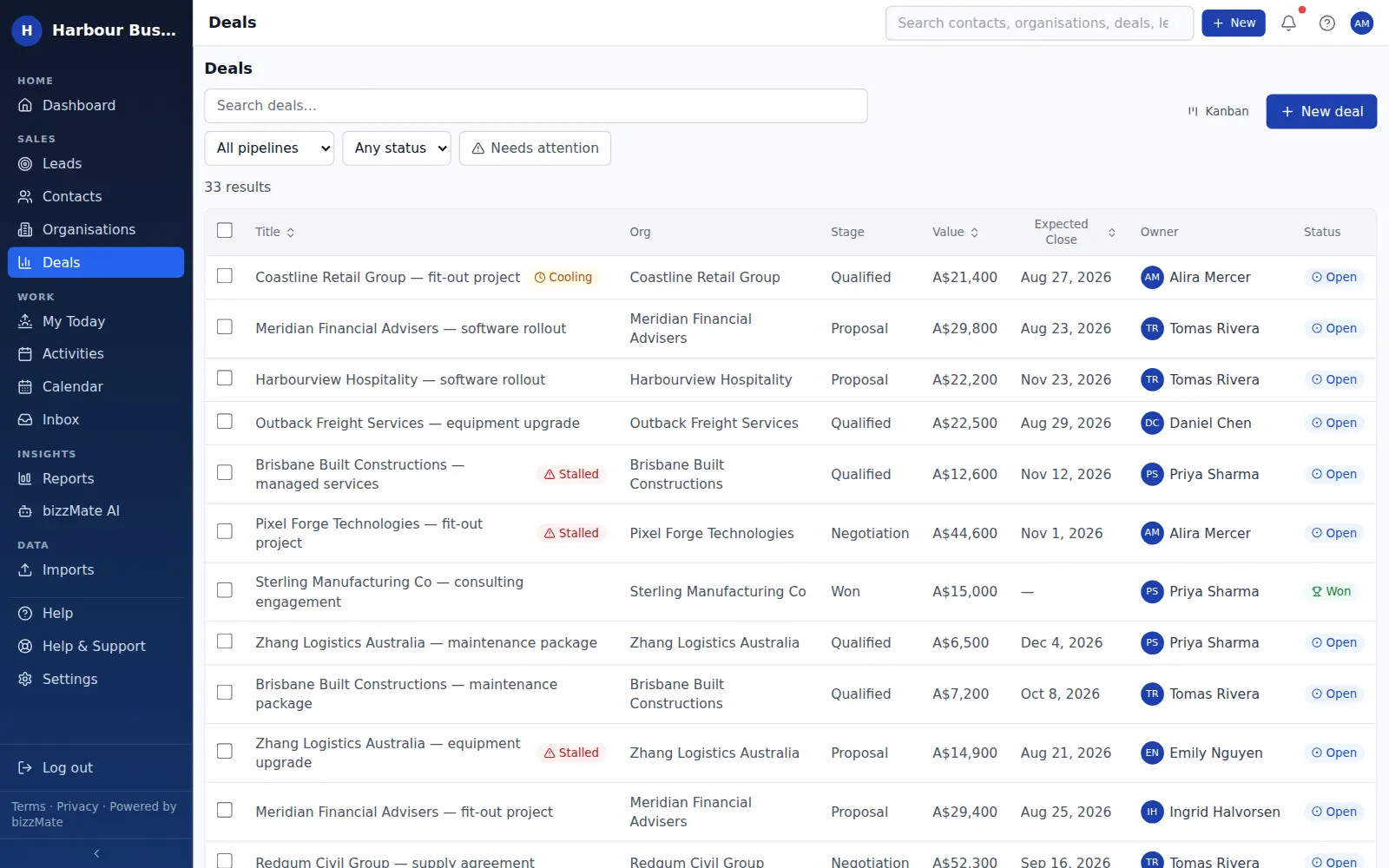
Value, stage, owner, expected close date, the organisation and the person driving it — and an honest outcome when it closes, including why it was lost.
- Board or list view of the same deals
- Recorded loss reasons that feed the win/loss report
- Stalled and no-follow-up flags from real inactivity
- Bulk actions and CSV export from the list
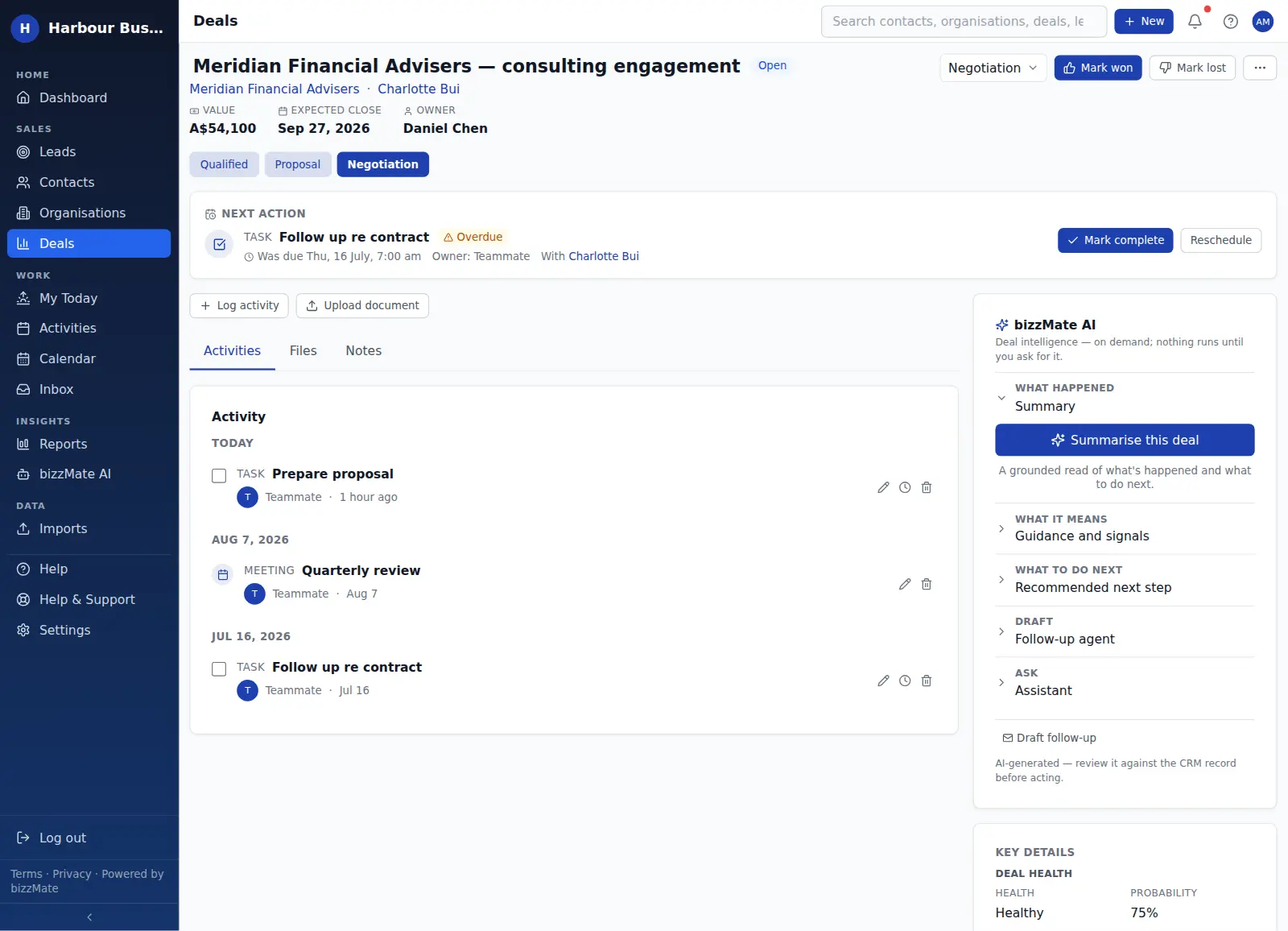
Pipeline
A board you can keep current in ten seconds a day.
Drag a deal to move it. Read the value sitting in each stage. See at a glance which opportunities have no next step booked.
- Your own stages, order and per-stage probability
- Open pipeline, weighted pipeline, average deal value and win rate above the board
- Search and filter by owner and stage
- Full-width cards and stage-by-stage scrolling on a phone
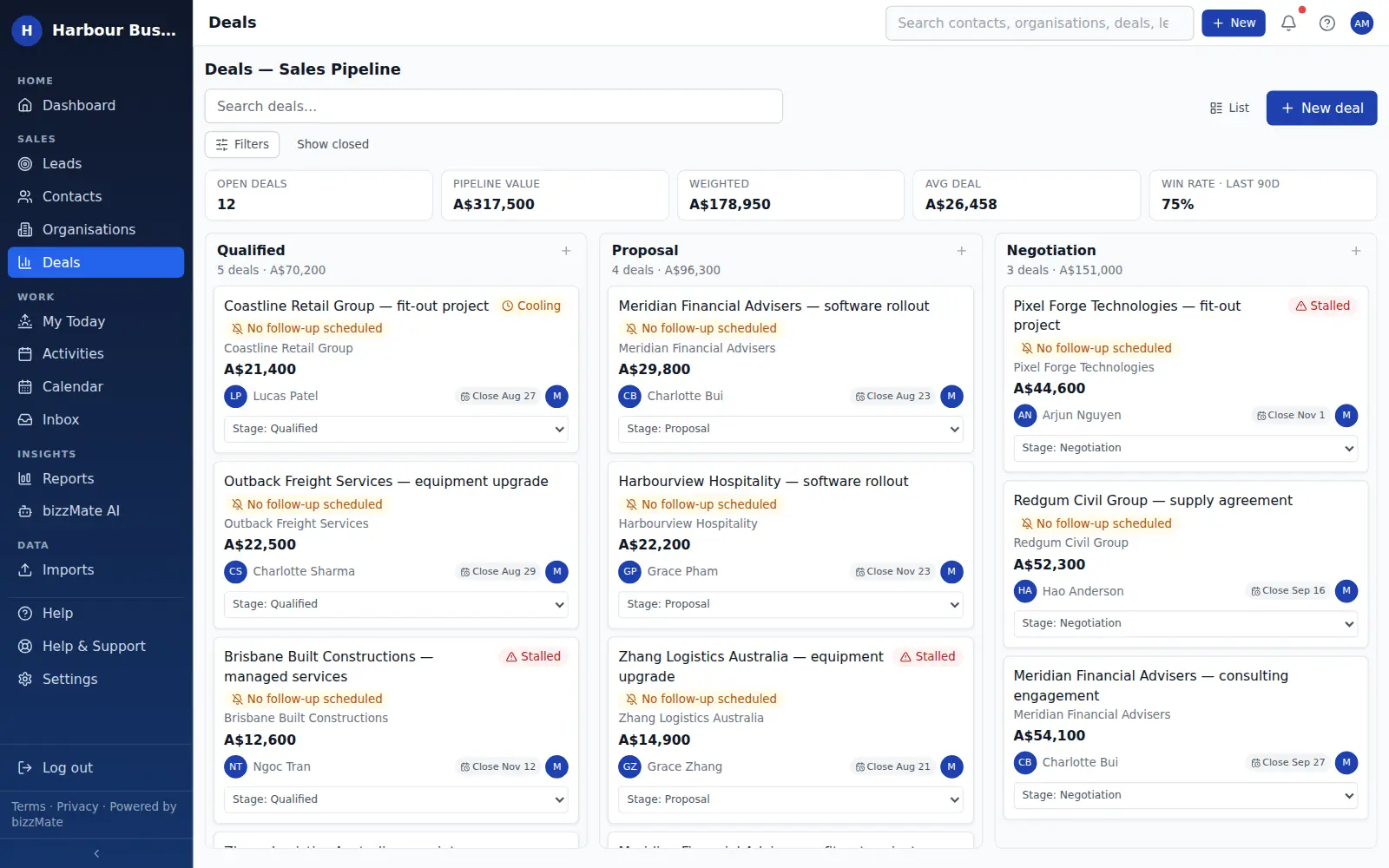
Activities & follow-ups
The next action, attached to the customer it belongs to.
Calls, tasks and meetings sit on the record, with an owner and a due date, grouped into overdue, due today and upcoming so priority is never ambiguous.
- Assign follow-ups to whoever needs to do them
- Cancelled recorded separately from completed
- In-app notifications when your work falls due
- My Today: one personal queue to start the day from
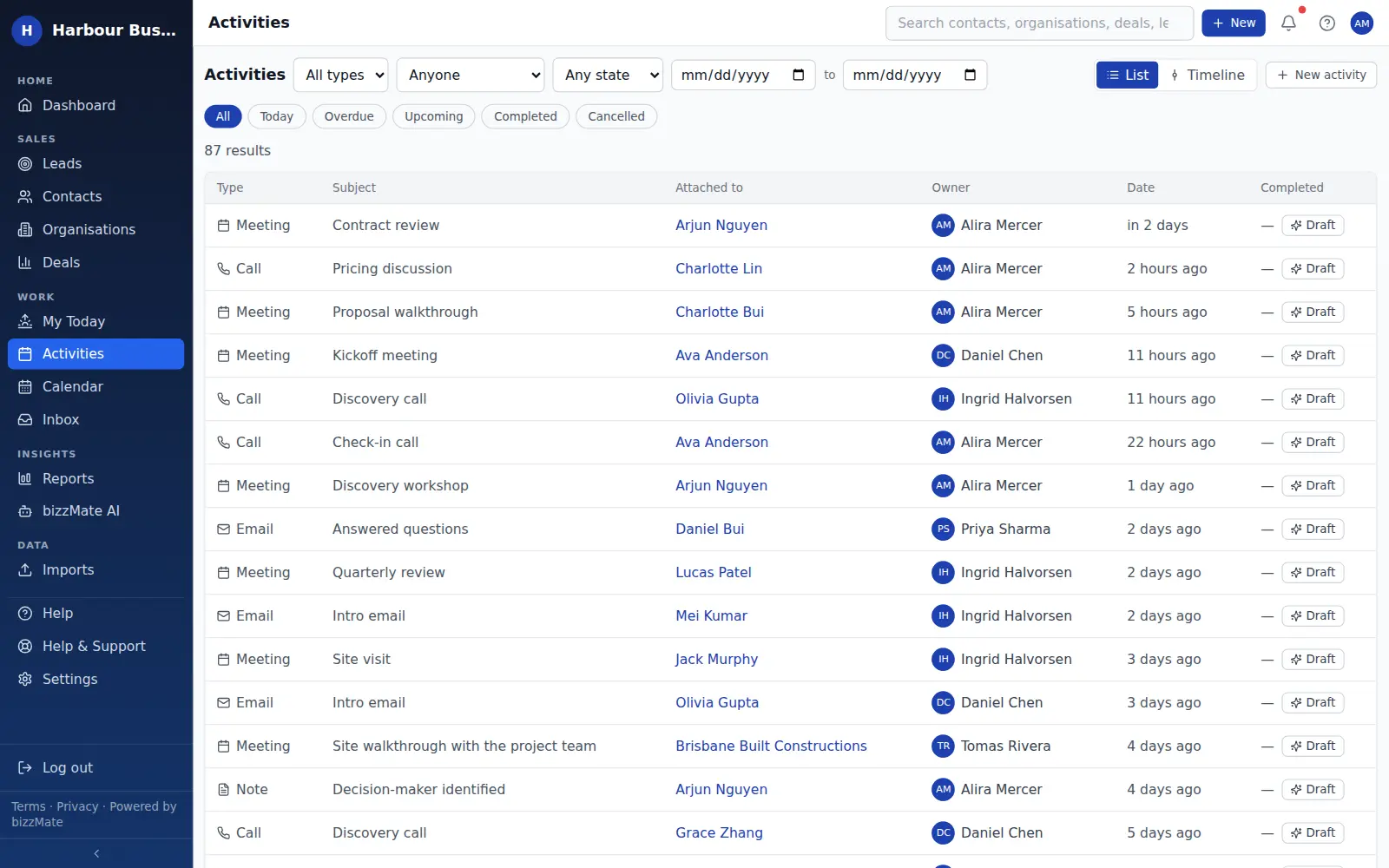
Calendar
See whether the week you have planned is realistic.
The same scheduled activities, laid out by day, week or month, each linking straight back to the customer record behind it.
- One source of truth with the activity list
- Day, week and month layouts
- Every entry links to its CRM record
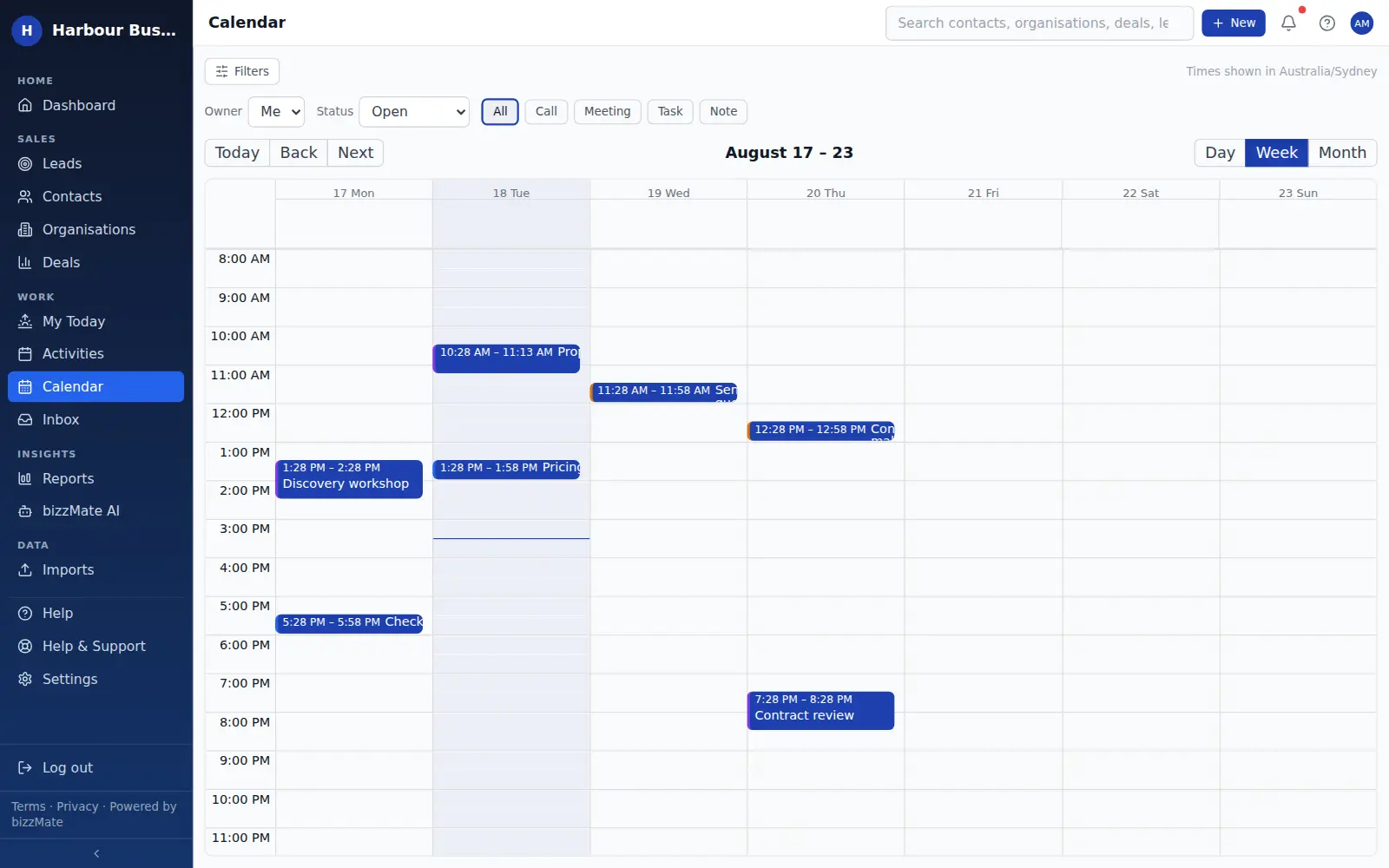
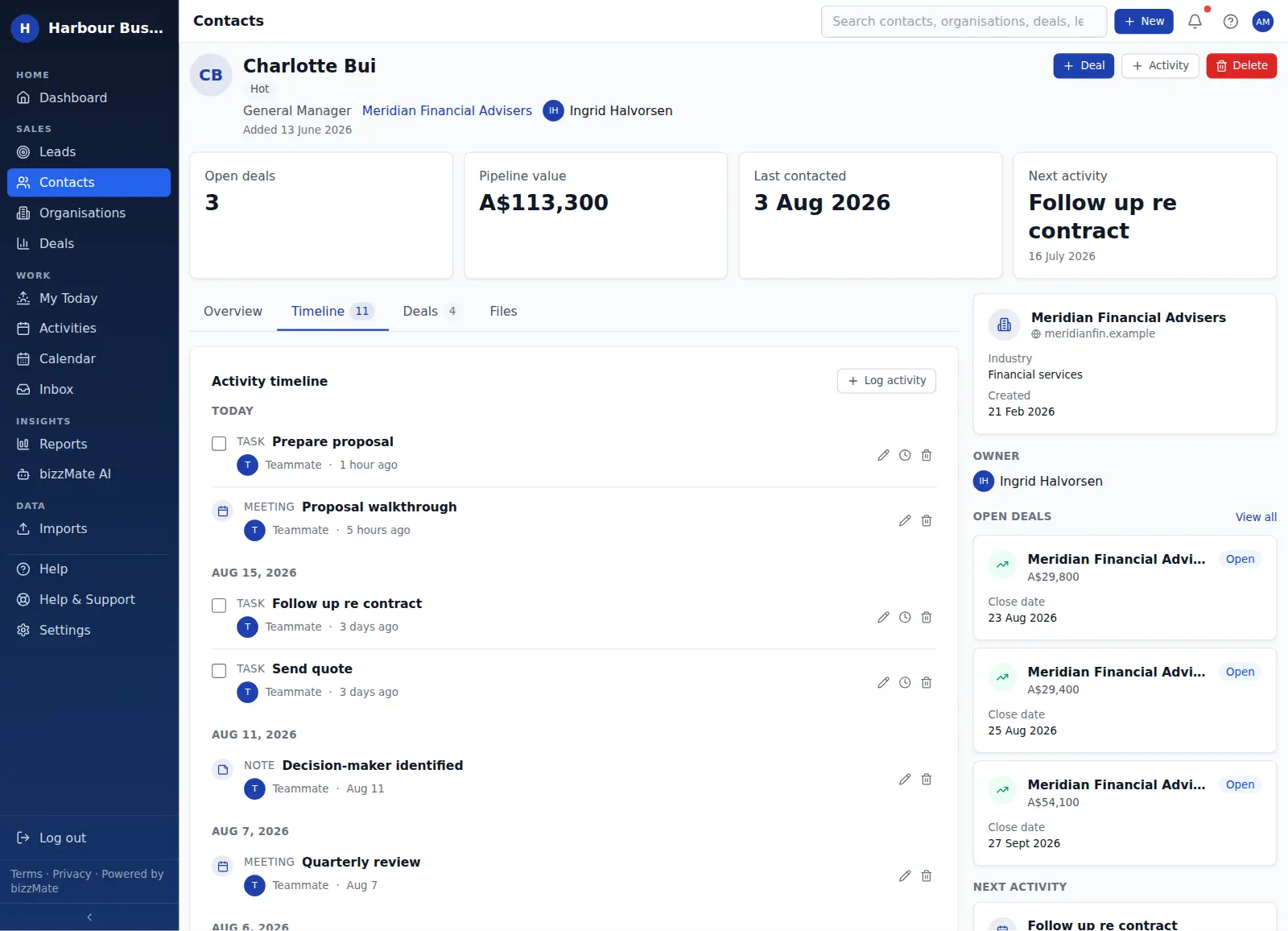
Timeline
The history, in one readable thread.
Activities, notes, files and synced email merged into a single chronological feed on every contact, organisation and deal — attributed, grouped by day and filterable by kind.
- Who logged it and when, on every entry
- Optional read-only Microsoft 365 mailbox sync
- Filter to just calls, or just notes
- The same thread at contact, organisation and deal level
Practical AI
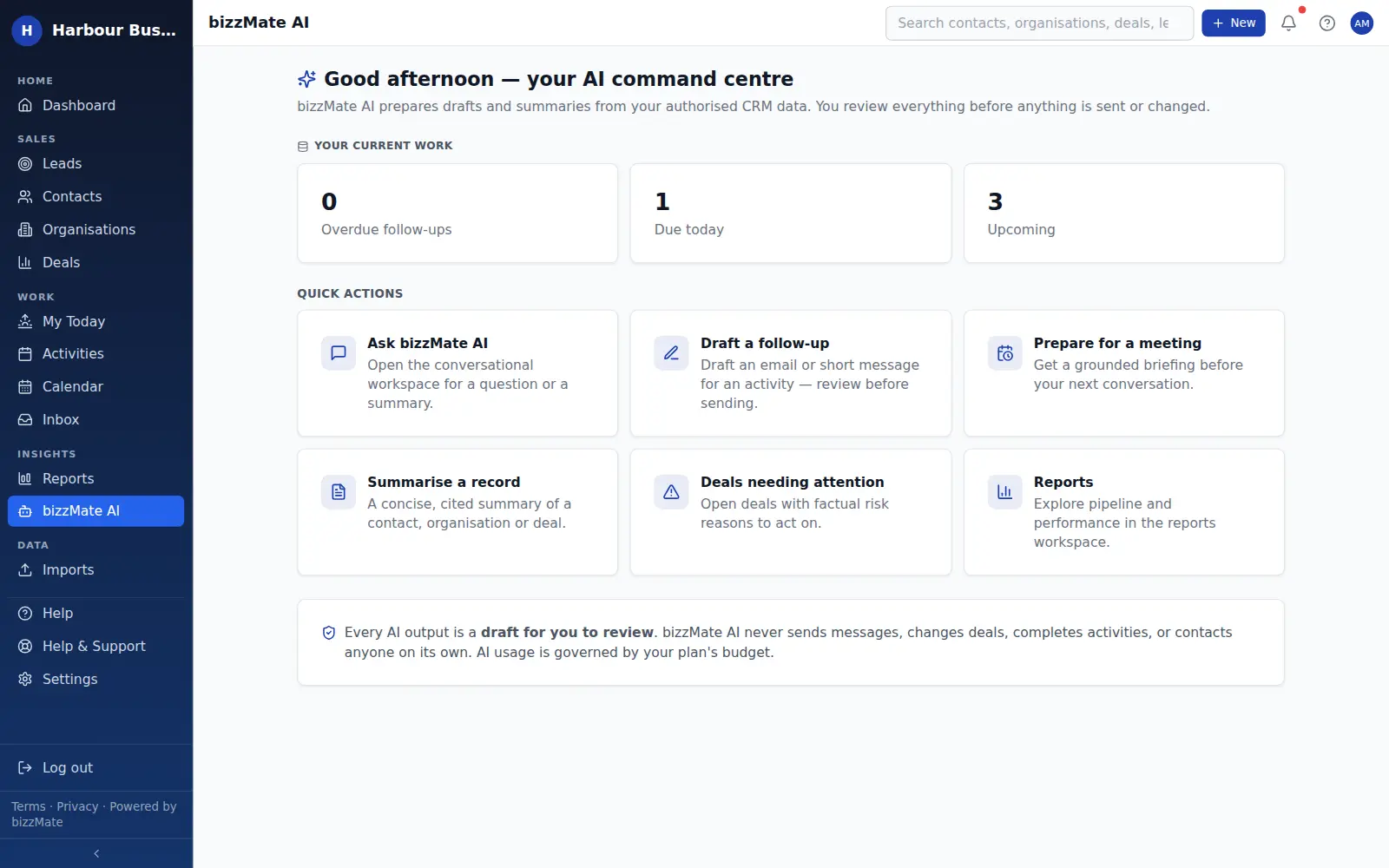
Summaries and drafts, grounded in your own data.
bizzMate AI reads the records you are authorised to see and gives you a concise summary or a first draft. You review everything, and nothing is ever sent or changed on your behalf.
- Record summaries for contacts, organisations and deals
- Follow-up drafts you edit before sending
- Runs inside your workspace isolation and your role's permissions
- Usage governed by a visible per-workspace budget
- Included on every plan — Essential on Solo, Standard on Pro, High on Business
Reporting
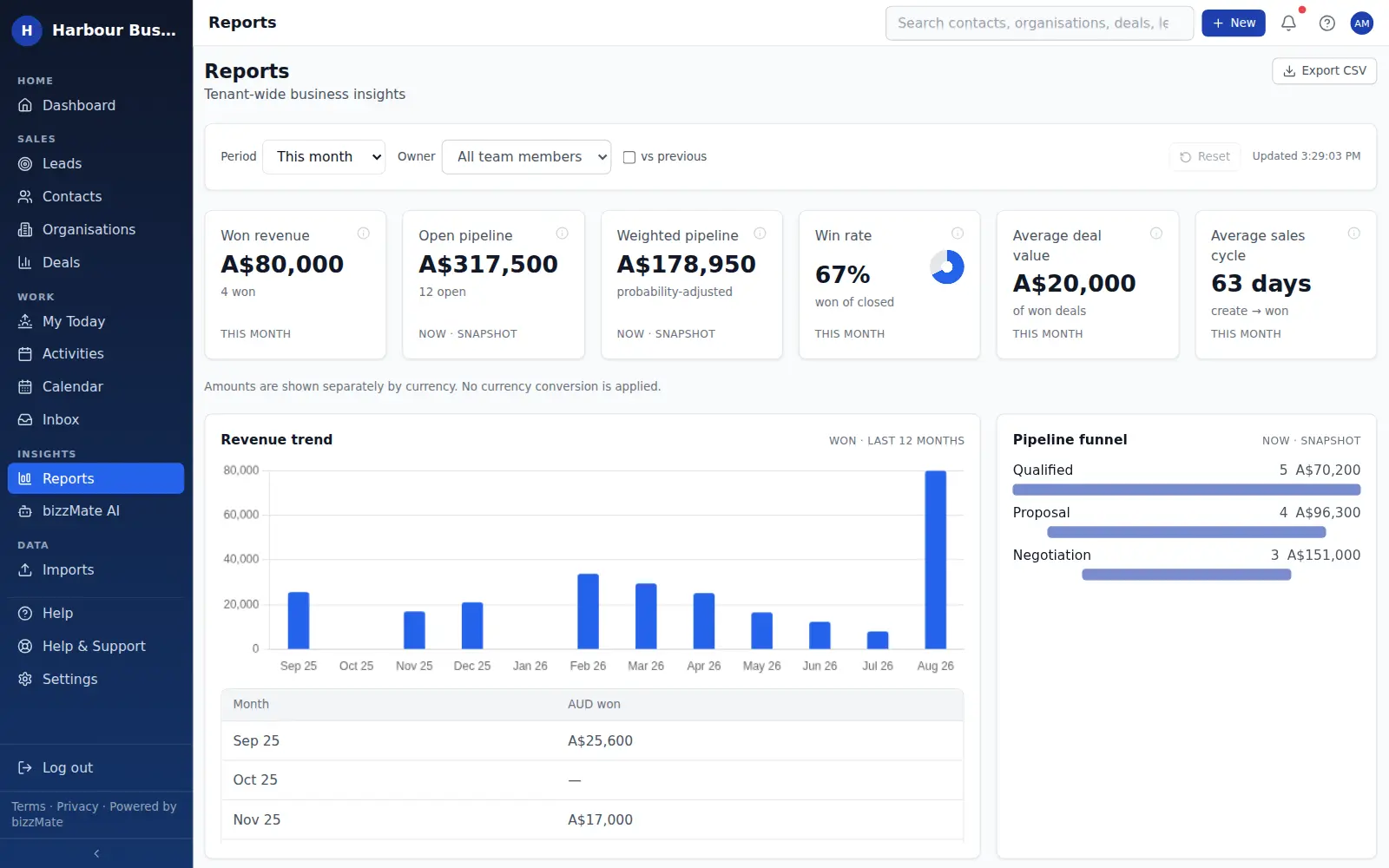
The numbers, with the reasons behind them.
Won revenue, open and weighted pipeline, win rate, average deal value and sales cycle — filterable by period and owner, with win/loss reasons and per-person activity.
- A twelve-month revenue trend and a pipeline funnel
- Recorded loss reasons rolled up into win/loss
- Period and owner filters, with compare-to-previous
- CSV export from any view
Imports
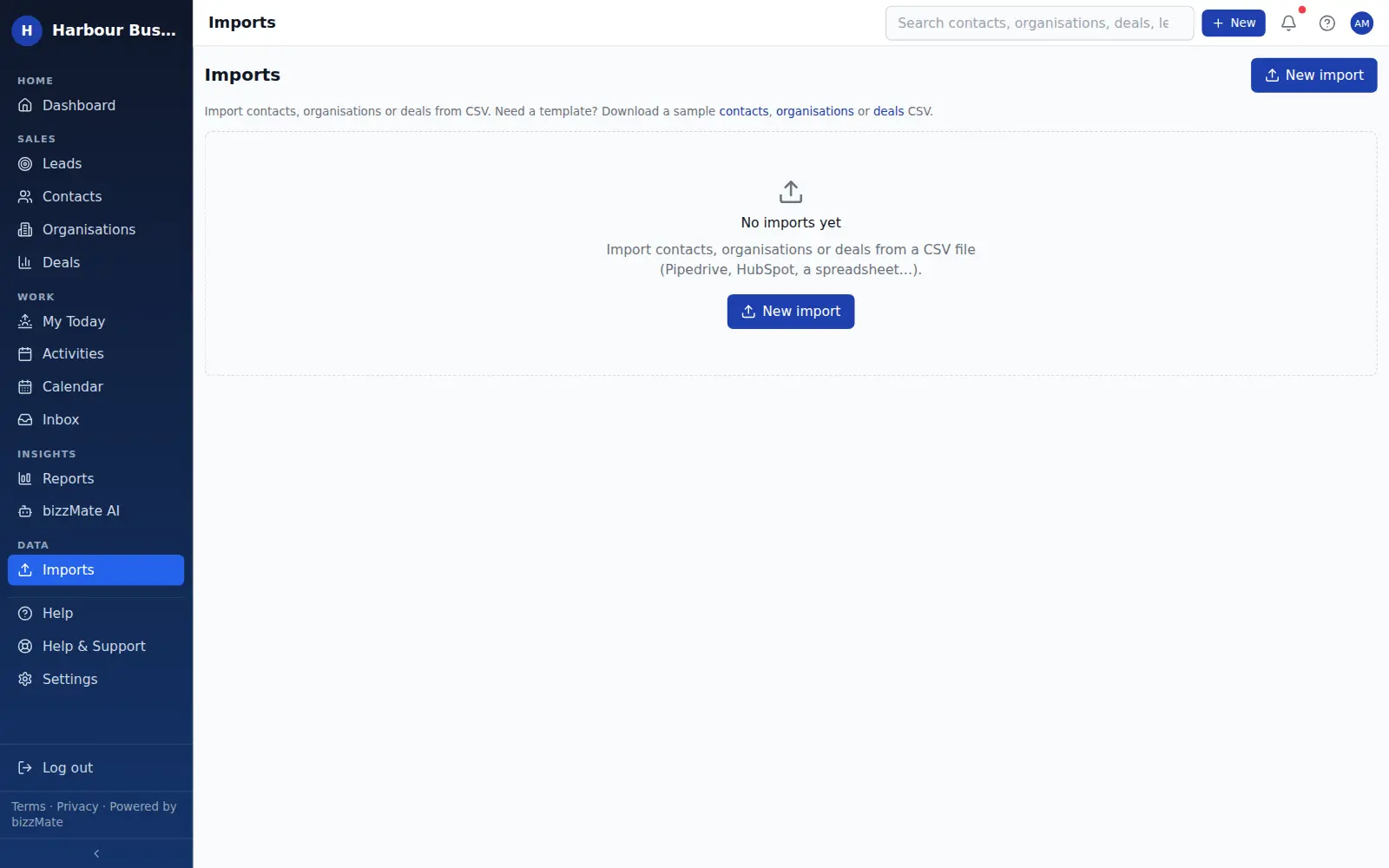
Move off the spreadsheet without the risk.
Upload a CSV, map your columns onto CRM fields, review exactly what will be created, and only then commit. Nothing is written until you confirm.
- Column mapping so you do not rewrite the file first
- A preview before anything is committed
- A result summary and a history of every import
- Export your workspace data whenever you want
Team & administration
The right people, with the right access.
Invite your team, give each person an owner, admin or member role, set record visibility, and review the audit log — with every permission enforced by the server.
- Three roles, clearly bounded
- Record ownership and reassignment
- Public or private visibility per record type
- An audit log for owners and admins
- Sign in with Google, Microsoft, or email and password
Everything connected
One workspace. One customer story.
Nothing in bizzMate is an island. A company holds its people, its people hold the opportunities, an opportunity holds the next action — and everything you do lands back on one timeline the whole team can read.
- Step 1: OrganisationThe company you sell toIndustry, size, domain — and every person who works there.
- Step 2: ContactThe people you talk toRole, details, owner, and when you last actually spoke.
- Step 3: DealThe opportunityValue, stage, expected close date and who owns it.
- Step 4: ActivityThe next actionA call, task or meeting, attached to the record it belongs to.
- Step 5: TimelineThe historyEvery call, note, file and synced email in one thread.
- Step 6: DashboardThe roll-upOpen pipeline, what closes this month, what has gone quiet.
- Step 7: AIThe helpSummaries and drafts built from that same authorised context.
See it with your own customers.
Import your contacts, raise a deal, book the follow-up. That is a real trial, and it takes an afternoon.
No credit card required.