
Contact management
Keep every customer relationship organised.
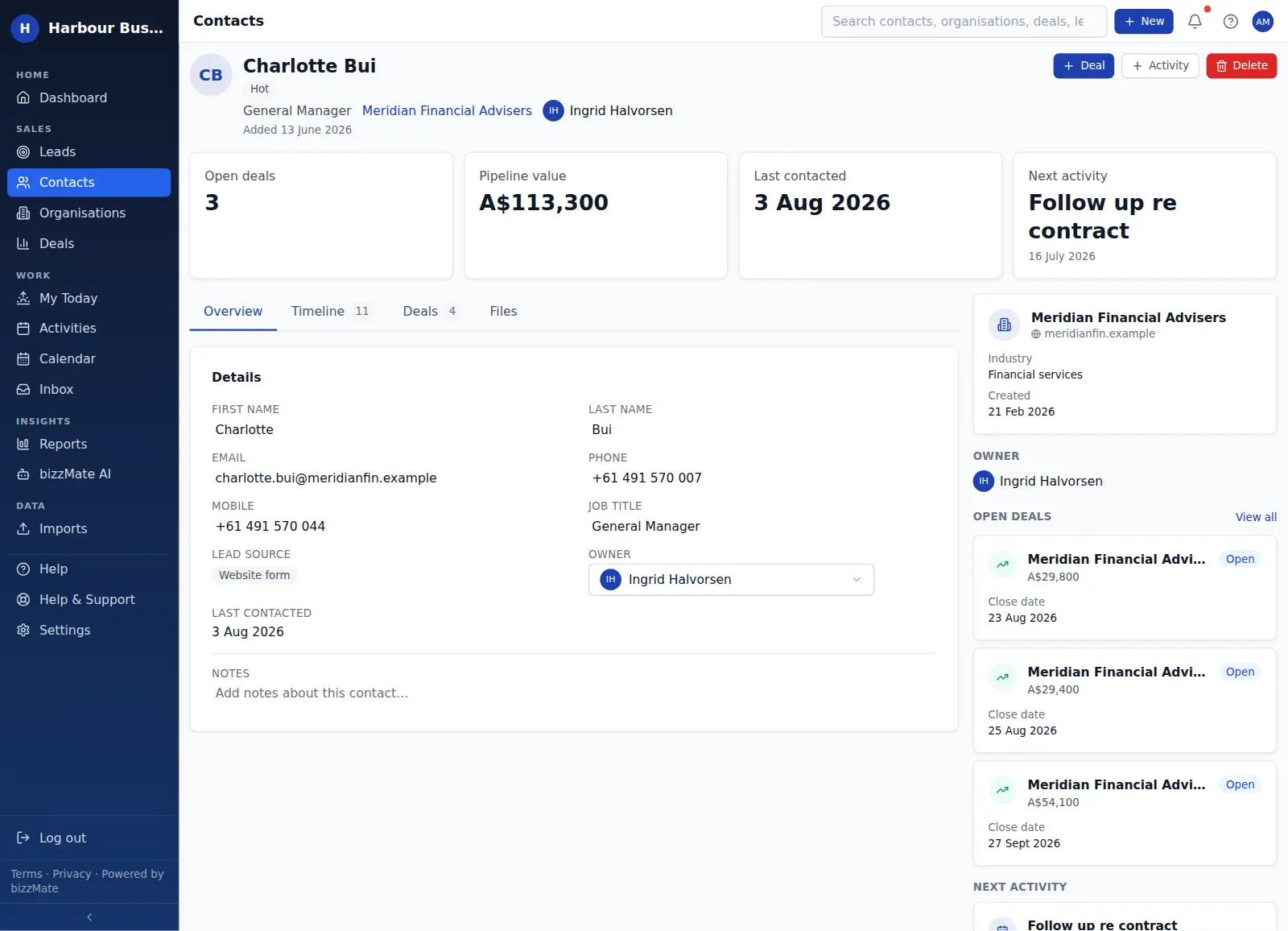
A contact record in bizzMate carries the person, the company behind them, everything you have discussed and the next thing you owe them — so nobody has to reconstruct a relationship from memory or a mailbox.
No credit card required · Set up in minutes · AUD pricing
Why it matters
What contact management is for
Most small businesses do not lose customers because the product was wrong. They lose them because a follow-up never happened, or because the one person who knew the relationship was on leave.
bizzMate fixes that by making the contact record the place the relationship actually lives: details, ownership, history, opportunities and the next action, all in one workspace that anyone on your team can pick up.
At a glance
- Name, role, email, phone and mobile on one record
- Linked to the organisation the person works for
- An owner, so it is always clear who is responsible
- Last contacted and next activity, calculated from real data
- Notes and tags that stay attached to the person
Capabilities
What it actually does
Every item below is a shipped part of bizzMate today — not a roadmap entry.
The person and the company, together
Every contact can belong to an organisation. Open the contact and the company panel is right there — industry, domain, the other people you know there, and the open deals against that company.
Ownership that means something
Each contact has an owner. Admins can reassign records when someone changes role or leaves, and the reports workspace can be filtered by owner so you can see one person's book of business.
Last contacted, without the guesswork
The record shows when you last actually spoke, derived from logged calls, meetings and emails — not from when the row was last edited.
Duplicate checking as you type
When you add a contact, bizzMate checks for an existing record with the same email or name and warns you before you create a second one.
Lead source and tags
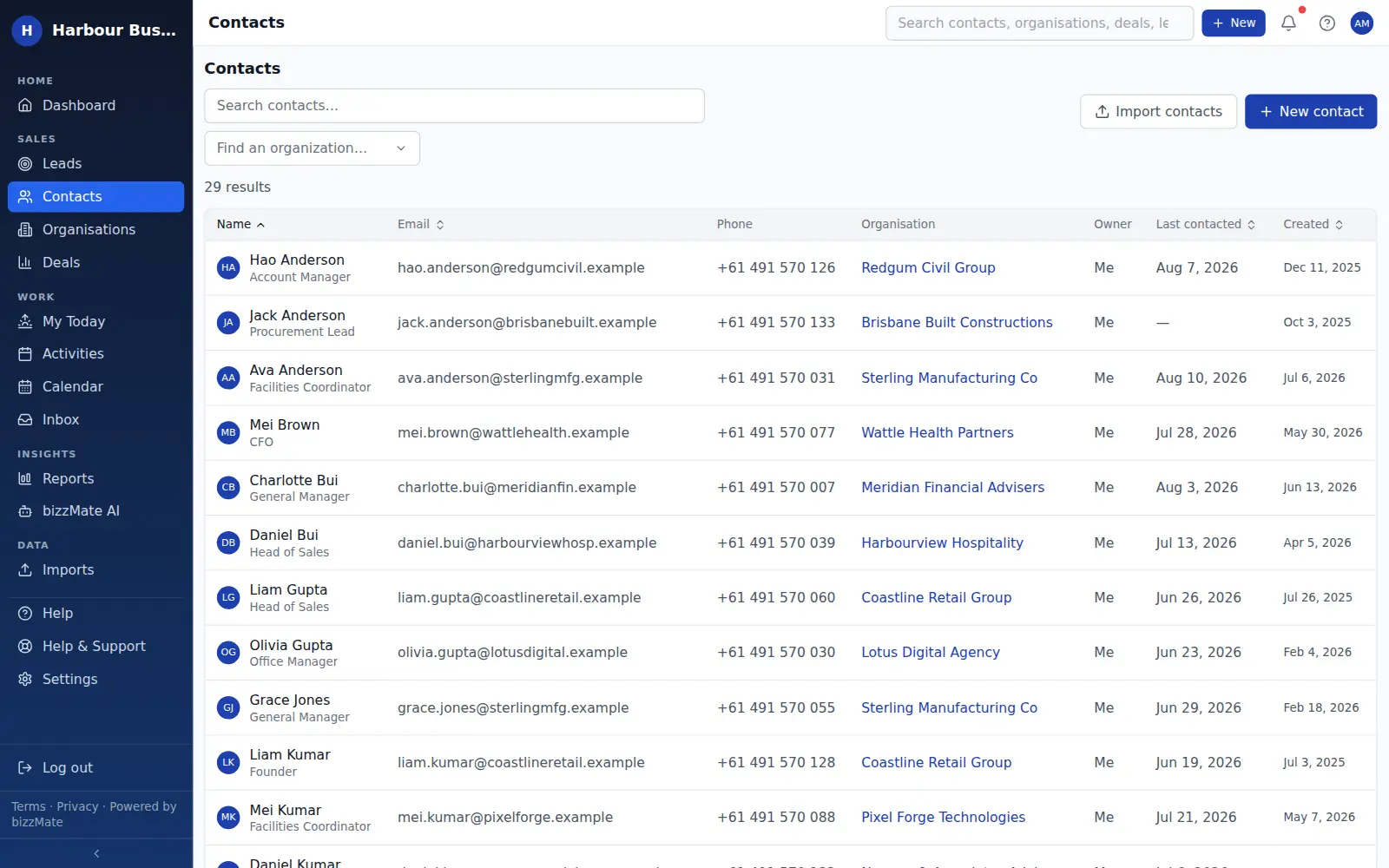
Record where a contact came from and tag them however your business thinks about people, then filter the list by those values.
Search that finds people fast
One search box across contacts, organisations, deals and leads, so you get to the right person in a couple of keystrokes.
In the product
What this looks like day to day
How it works
How it fits a working day
Step 1: Add or import the people you already know
Create a contact in a few seconds, or bring your whole list across with a CSV import that previews exactly what will be created before it commits.
Step 2: Attach the work to the person
Log calls, notes and meetings on the contact, and raise deals against them. Everything lands on the same timeline in the order it happened.
Step 3: Keep the relationship moving
Schedule the next call or task from the record. It shows up on your dashboard and in My Today until it is done.
Frequently asked questions
- Can I import contacts from a spreadsheet?
- Yes. bizzMate imports CSV files: upload the file, map your columns onto contact fields, review the preview of what will be created, then commit. Nothing is written until you confirm.
- Is there a limit on how many contacts I can store?
- It depends on your plan. Solo includes 1,000 contacts and Pro includes 25,000. Business sets no contact limit. The pricing page shows the current limits for each plan.
- Can I control who sees which contacts?
- Yes. Workspace owners and admins can set contact visibility to public — everyone in the workspace — or private, where only the record's owner and admins can see it. Permissions are enforced by the server, not just hidden in the interface.
- What happens to a contact's history if I reassign them?
- Nothing is lost. Ownership changes, but the timeline, notes, activities and deals stay attached to the contact, so the new owner inherits the whole relationship.
Explore related capabilities
- Organisation managementCompany records holding every person and every open deal.
- Customer timelineCalls, notes, files and synced email in one chronological thread.
- Customer workspaceOne screen per record: detail, timeline, related deals and files.
- ImportsCSV import with column mapping and a preview before commit.
Try contact management on your own customers.
Start a free 15-day trial of bizzMate and set your workspace up in an afternoon. No credit card required.
No credit card required.