
Deal automation
Spend less time moving information around.
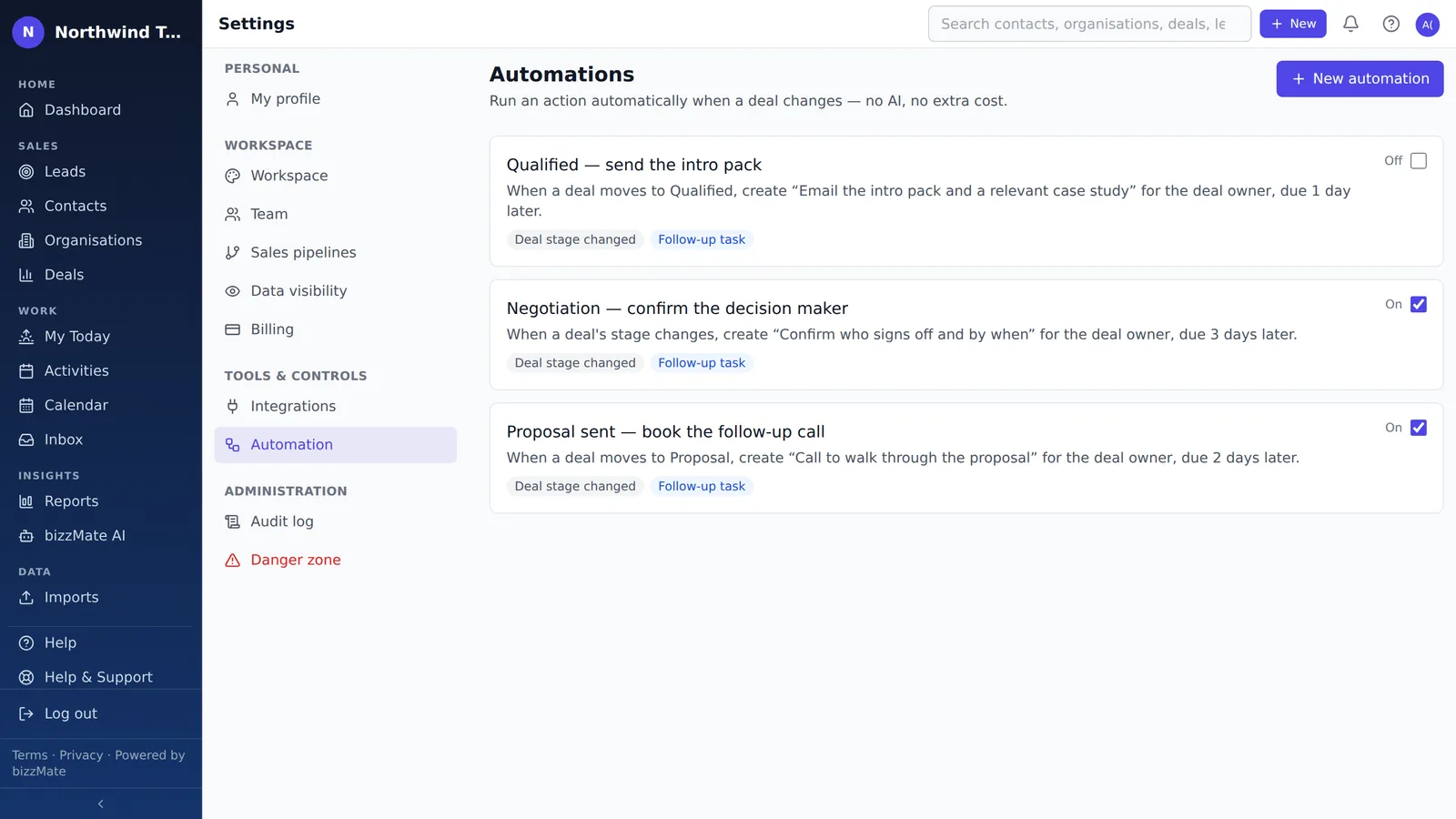
When a deal moves, the next follow-up should already exist. bizzMate creates it for you — a single task, or a whole cadence — so the process runs even on the week everyone is flat out.
No credit card required · Set up in minutes · AUD pricing
Why it matters
What deal automation is for
Every small sales team has the same failure: the process is real, everyone knows it, and it still depends on somebody remembering to do the next thing. The deals that go quiet are almost never the ones anyone decided to drop.
Deal automation makes the routine part automatic and leaves the judgement to you. A rule watches for a deal moving stage and creates the follow-up that should come next — assigned, dated and sitting on the deal where the person who owns it will actually see it.
At a glance
- Trigger on a deal moving stage, or into one specific stage
- Create a follow-up task, due when you say
- Or run a multi-step cadence of up to 10 follow-ups
- Tasks land on the deal, assigned to its owner
- Switch any rule off without deleting it
- Included from Pro upward
Capabilities
What it actually does
Every item below is a shipped part of bizzMate today — not a roadmap entry.
One trigger, deliberately
A rule fires when a deal changes stage. You can leave it open — any move — or narrow it to a single target stage, so a rule for 'Proposal sent' never fires on 'Qualified'.
Create the follow-up task
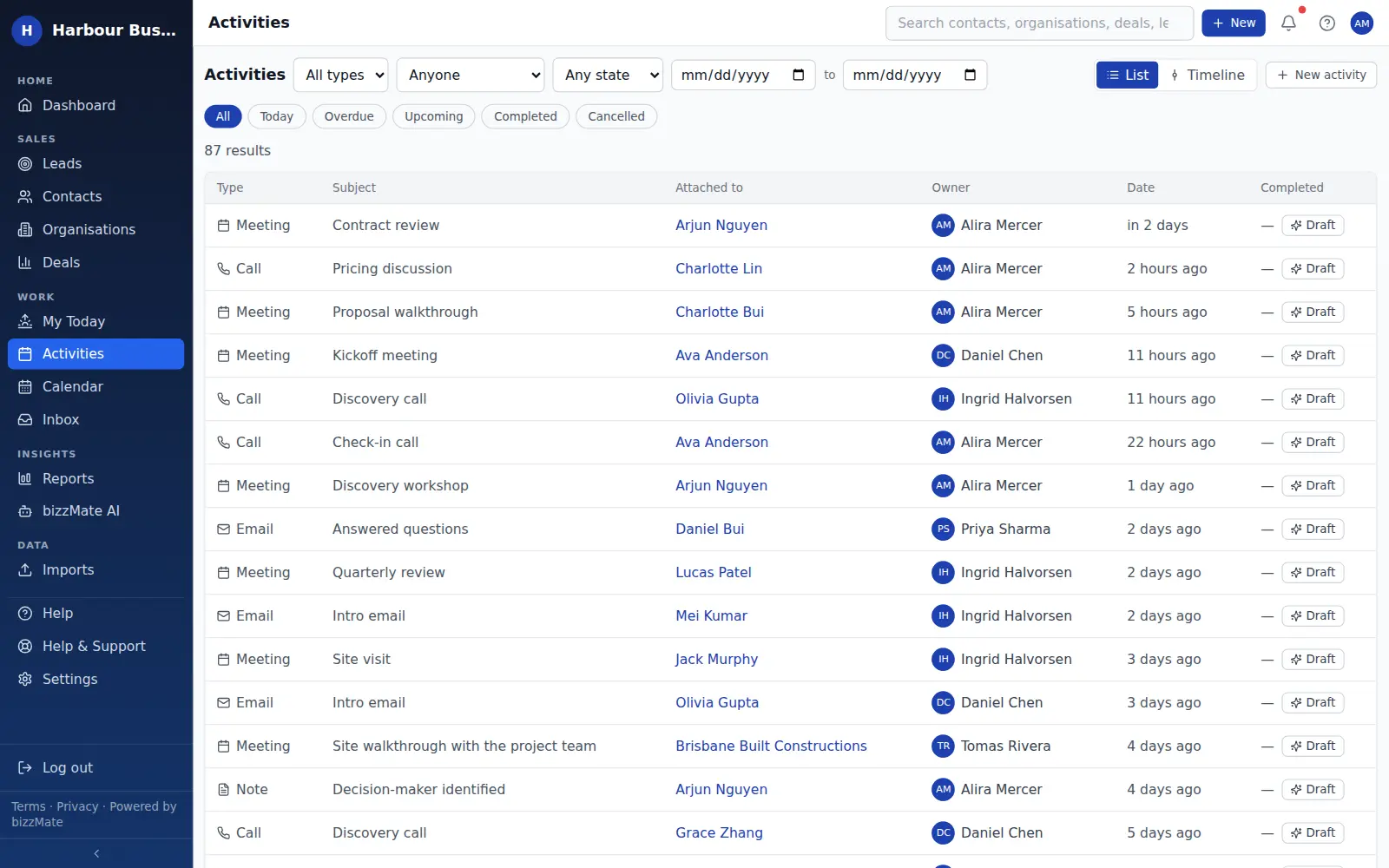
The rule creates a task on the deal with the title you choose, due a set number of days later, assigned to the deal's owner. It appears on the dashboard and in My Today like any other activity, because it is one.
Or run a cadence
A cadence is a sequence of up to ten follow-ups. bizzMate creates them one at a time: the next step only appears once the previous task is completed or lapses, so nobody opens their day to ten pre-made tasks.
Rules you can read
A rule is a trigger, an optional condition and up to five actions — not a scripting language and not a workflow canvas. You can see what every rule will do by reading it once.
Reversible by design
Any rule can be switched off and back on without being deleted, so you can stop one immediately if it is not doing what you expected.
It never contacts your customers
Automation works on your own deals and activities. It does not send email, SMS or messages to anyone outside your workspace — reaching out stays a decision a person makes.
In the product
What this looks like day to day
How it works
How it fits a working day
Step 1: Decide the moment that matters
Pick the stage move that should always be followed by something — a proposal going out, a deal reaching negotiation, a demo being booked.
Step 2: Say what should happen
Create the task, with a title your team will understand and a due date measured from the move. Or build the cadence if the follow-up is a sequence rather than a single call.
Step 3: Let it run, and watch it
From then on the follow-up exists before anyone has to think of it. If a rule is not earning its place, switch it off.
Frequently asked questions
- Will automation email my customers?
- No. Deal automation creates tasks and follow-ups inside your workspace. It does not send email, SMS or messages to your customers, and bizzMate does not send email on your behalf at all — sending stays a decision you make.
- What can trigger a rule?
- A deal changing stage. That is the only trigger today, and we would rather say so than list capabilities you would go looking for. You can narrow a rule to fire only when a deal enters one particular stage.
- How many rules can I have?
- It depends on your plan, and the current numbers are on the pricing page — which is generated from the same plan catalogue the server enforces, so the figure you read is the figure you get. Deal automation is included from Pro upward.
- Is this AI?
- No, and the distinction matters. Automation is a rules engine: it does exactly what you configured, every time, with no model involved. bizzMate's AI features are separate, and they suggest and draft rather than act.
Explore related capabilities
- Activities & follow-upsCalls, tasks and meetings attached to the record they belong to.
- Sales pipelineA drag-and-drop board with your own stages and per-stage totals.
- Deal managementValue, stage, owner, close date — and an honest outcome.
- Practical AIGrounded summaries and drafts you review before anything happens.
Try deal automation on your own customers.
Start a free 15-day trial of bizzMate and set your workspace up in an afternoon. No credit card required.
No credit card required.